 Fokus
What can I do while my coding agent is working?
Pick a break that fits an unpredictable wait. In Fokus for Mac, you can work out a few moves on a puzzle while the sites you usually scroll stay blocked. When there’s code to review, leave the board right there. Fokus saves each move.
Fokus · · Tested with Fokus 0.4.0 for Mac
Leave yourself a place to come back to
Suppose your agent is fixing a failing keyboard test. Keep the test open in your editor before sending the prompt. When the change is ready, you already know where to look.
Make one move
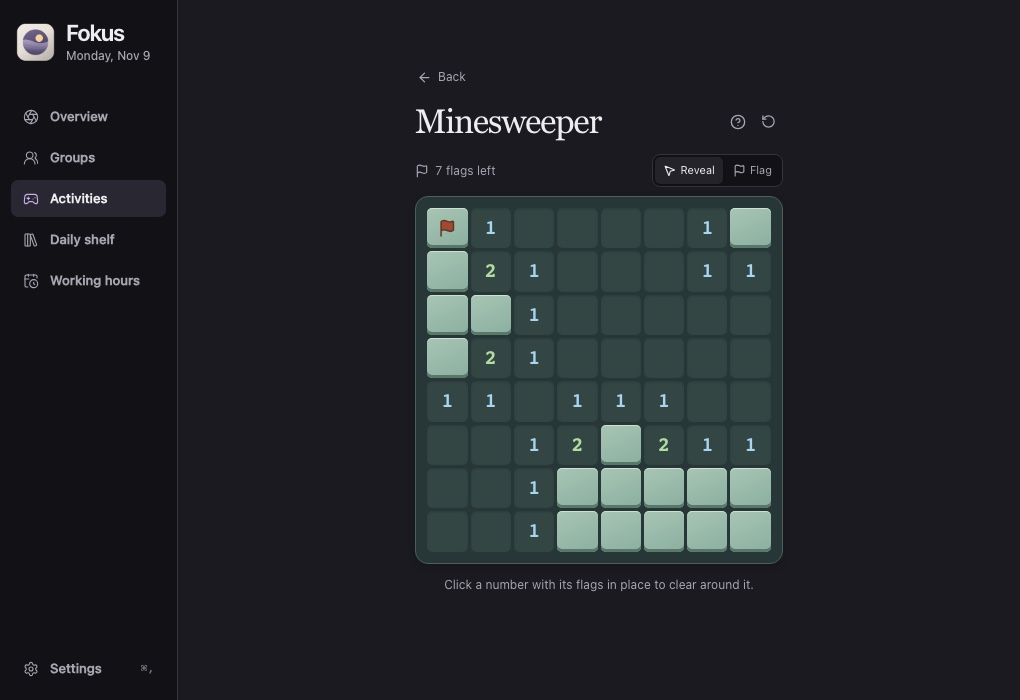
Start a Fokus session with your Social media group enabled. Open Activities, choose Minesweeper and reveal a square. Use the numbers on the board to decide where a mine belongs, then place a flag. Your site blocks stay active.
Go back to the code
Switch to your editor as soon as you want to check the fix. The next time you have a wait, open Activities and choose Resume board under Minesweeper. Your last flag is still there.
What survived the switch back to work?
We played a fixed board in the Fokus interface with its Mac blocker running. The opening move revealed 47 squares. We flagged one mine, switched to Overview, then resumed the board from Activities.
| Board state | Revealed squares | Placed flags |
|---|---|---|
| Before switching away | 47 | 1 |
| After resuming | 47 | 1 |
The Mac helper still listed Reddit, X and Instagram after we resumed the board. You decide when to switch back. Fokus runs independently of your coding agent.
Try a puzzle in your browser